At Google, Microsoft, OpenAI, Anthropic, the way engineers work has shifted. Now, AI agents write the code. Engineers direct, review, and ship. The students who learn this workflow today will graduate into an industry that already runs on it.
There are many other coding IDEs based on VS Code, e.g. Google Antigravity, Cursor, VS Code with Microsoft Copilot. Each makes a different choice about who they serve. The professional tools serve professional engineers. MTCodeIDE serves students.
Our IDE tool is free for students out of the box. A free GitHub sign-in unlocks Microsoft Copilot AI inside for free credits.
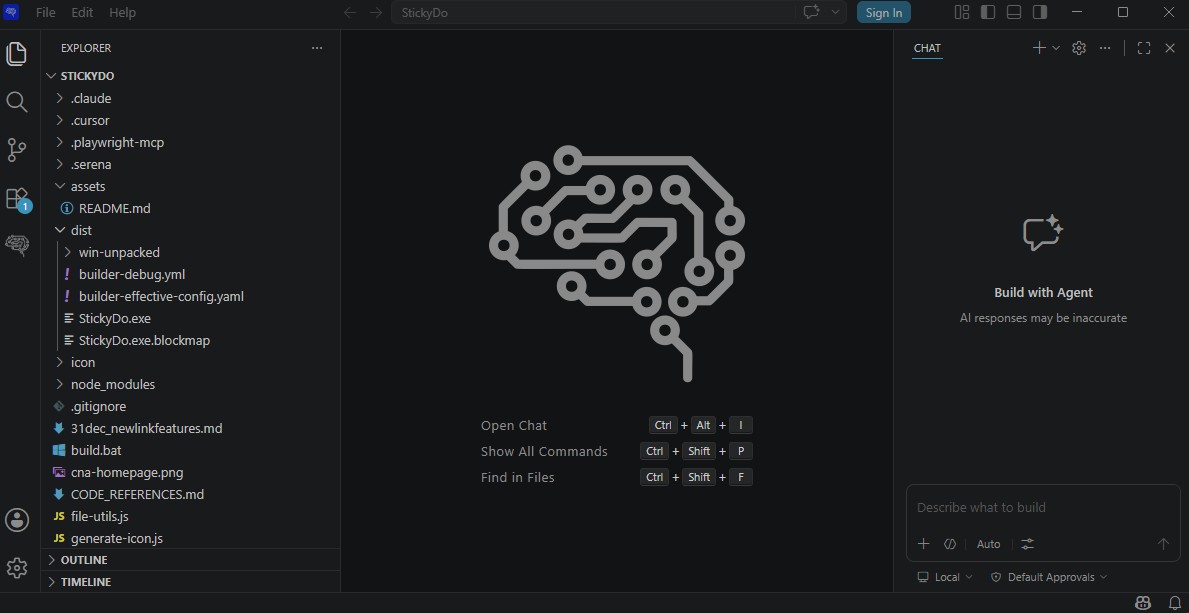
The interface is also lighter. Three columns the student can hold in their head from day one. File tree on the left, editor in the middle, AI chat panel on the right. We've temporarily hidden the advanced features that overwhelm teenagers into quitting early.
Read the code
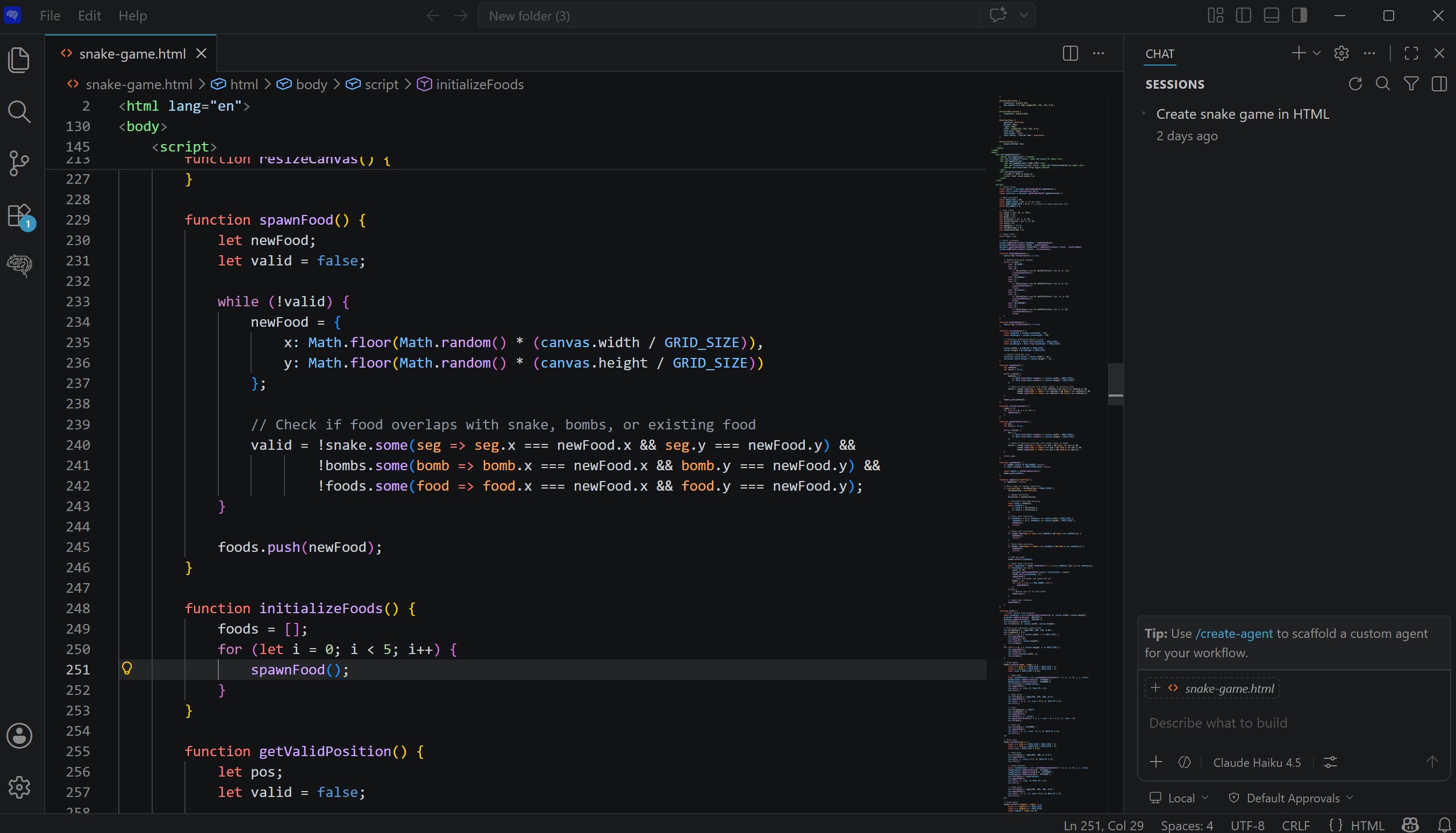
Every line the agent writes appears in the editor. Students see the HTML, CSS, JavaScript, the markdown that drives their app. They learn how the parts fit together.
Plan better
A real IDE shows the real project structure. Students see the file tree, plan what they need next, build in order. The same workflow working engineers use to keep complex projects organised.
See what the AI changed
Every code change the AI makes is visible in real time. Lines added, lines removed, files touched. Students watch the AI's reasoning play out, build the instinct to spot what's wrong, learn to trust or push back.
Create what you can Imagine.
Right now, most teenagers meet AI through endless feeds and AI-generated junk. MTCodeIDE puts them on the other side. They build mini apps for their family, ship retro 8-bit games for their friends, create useful things their parents actually open on their phone.
Vibe coding allows them to be creative. They start thinking like entrepreneurs, instead of just being consumers.
chat > make the snake faster every 10 points
editing game.js, line 47
hot-reloading preview
done
chat > add a score flash when a record breaks
editing game.js, line 112
appending styles.css
done
The coding continues at home.
Every student in the workshop takes MTCodeIDE home on their own laptop. The project they started in your classroom is the project they keep iterating on at home. Adding levels. Fixing bugs. Showing it off to friends and family.
A normal coding workshop ends and the interest fades off in a week. With MTCodeIDE, the momentum carries on for as long as the curiosity lasts. We have students who started with a Kanban Sticky Notes App in class and ended up with a small portfolio of apps a few months later.
Download MTCodeIDE below.
Thanks, teacher.
MTCodeIDE is ready to download below. Unzip the file, and run the .exe.