
Behind Mind Theory’s IDE for Teen Vibe Coders
An IDE designed for a senior software engineer and an IDE designed for a 13 year old are different products. They share components, but the defaults, the controls in view, and the assumptions about the user diverge sharply. MTCode is Mind Theory’s answer to the second brief. An IDE shaped end to end for a teenager learning to vibe code for the first time.
It is built on the same foundation as the IDEs senior engineers already use. VS Code is the open source codebase under Microsoft Copilot in VS Code, Cursor, and Google Antigravity. Each fork makes a choice about who it serves. The professional tools serve professional engineers. MTCode serves students.
Whats different in the interface
The aim was not to add features but to hide them temporarily from someone who is new to coding. A first time vibe coder needs less of the IDE in view, not more. Most of the work was editorial. Deciding which of VS Code’s panels and menus stay in the default workspace, and which get hidden until the student is ready for them.
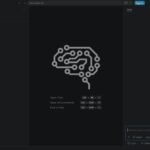
What remains is a three column layout the student can hold in their head from day one. The file tree on the left, the editor in the middle, an AI chat panel on the right. Nothing else competes for attention while the student is still building the habit of writing software.
Getting started
The setup path is short by design. A student arriving with a Windows laptop and an internet connection can be writing their first program within 20 minutes.
- Install MTCode.
- Create a free GitHub account, or sign in with an existing one.
- That sign in activates Microsoft Copilot AI inside MTCode, ready for the student to use. Or use our API Server through Cline extension, prebundled.
- Open the chat panel and describe what to build, in natural language using Prompt Engineering frameworks.
There is no API key, no provider selection, no subscription, and no credit card. The intent is to move the student past setup and into the editor while their attention is still in the room.
MTCode CLI, for students who go further
MTCode CLI is the sibling tool for students who are ready to leave the editor view behind and work in a clean text terminal. The same kind of AI coding workflow, in a different form factor, closer to how many professional engineers work day to day.
MTCode is about learning to view and edit AI generated code. MTCode CLI is the companion app, when you just want to work in a terminal view.
Mind Theory teaches both because the working software industry uses both, and we want our students fluent across the range rather than locked to a single interface.
Where MTCode runs
MTCode is included in every Mind Theory vibe coding programme. Our agentic engineering workshops in schools, our holiday camps, and our after school weekly programmes all run on the same setup. Students install MTCode in class, work through their first project with an instructor, and continue using the same tool on their own laptops afterwards.
Browse every app and game our students have built on our Student Showcase.
You can also see MTCode in classroom use in our recap of the Agentic AI Vibe Coding Workshop at Crescent Girls’ School, where students built their first projects in the MTCode terminal before moving into an IDE.
For school programmes or holiday camp enrolment, email us or message us on WhatsApp.
Mind Theory is Singapore’s pioneering AI and creative-tech education provider, established March 2023, serving primary, secondary, and adult students across the country. Read about us.
Recent Articles
-
 Vibe Coding: The Enrichment Skill every School needs in 2026.
-
 The AI Literacy skill Your Teen’s Future Depends On – AI Coding
-
 Mind Theory launches MTCode IDE for Teen Vibe Coders
-
 Mind Theory launches MTCode CLI, a Terminal for Agentic Coding
-
 Best Holiday Camps in Singapore 2026: The Complete Parent’s Guide
-
 AI Sprint Holiday Camp Singapore | June 2026 (Ages 9-16)
-
 Discover Your Child’s Hidden Talents During School Breaks: A Practical Guide for Singapore Parents
-
 How to Use the School Break to Discover Your Strengths: A Guide for Curious Learners
-
 Coding, Editing or Design: Productive Holiday Skills to Learn
-
 5-Day AI Storytelling Camp
-
 CapCut Workshop for Singapore Schools | Secondary School Programme
-
 Generative AI Summer Holiday Camps
-
 September Holiday Camps – AI Art
-
 Roblox Coding Camp Singapore | 5-Day Holiday Camp for Kids
-
 AI Prompt Engineering Workshop for Singapore Schools | Mind Theory
-
 Z-Image in ComfyUI: 150 AI Fashion Models, One Studio Look
-
 MT SandBox: A Sandbox Game Mind Theorians Build Together
-
 ComfyUI Image Generation Training: Z Image, Flux, Qwen and Krea
-
 ComfyUI Image Editing Training: Relighting, Posing and LoRA Styles
-
 ComfyUI Video Training: LTX 2.5 and MiniMax H3
-
 Retro PC: Windows 95 in Your Browser