
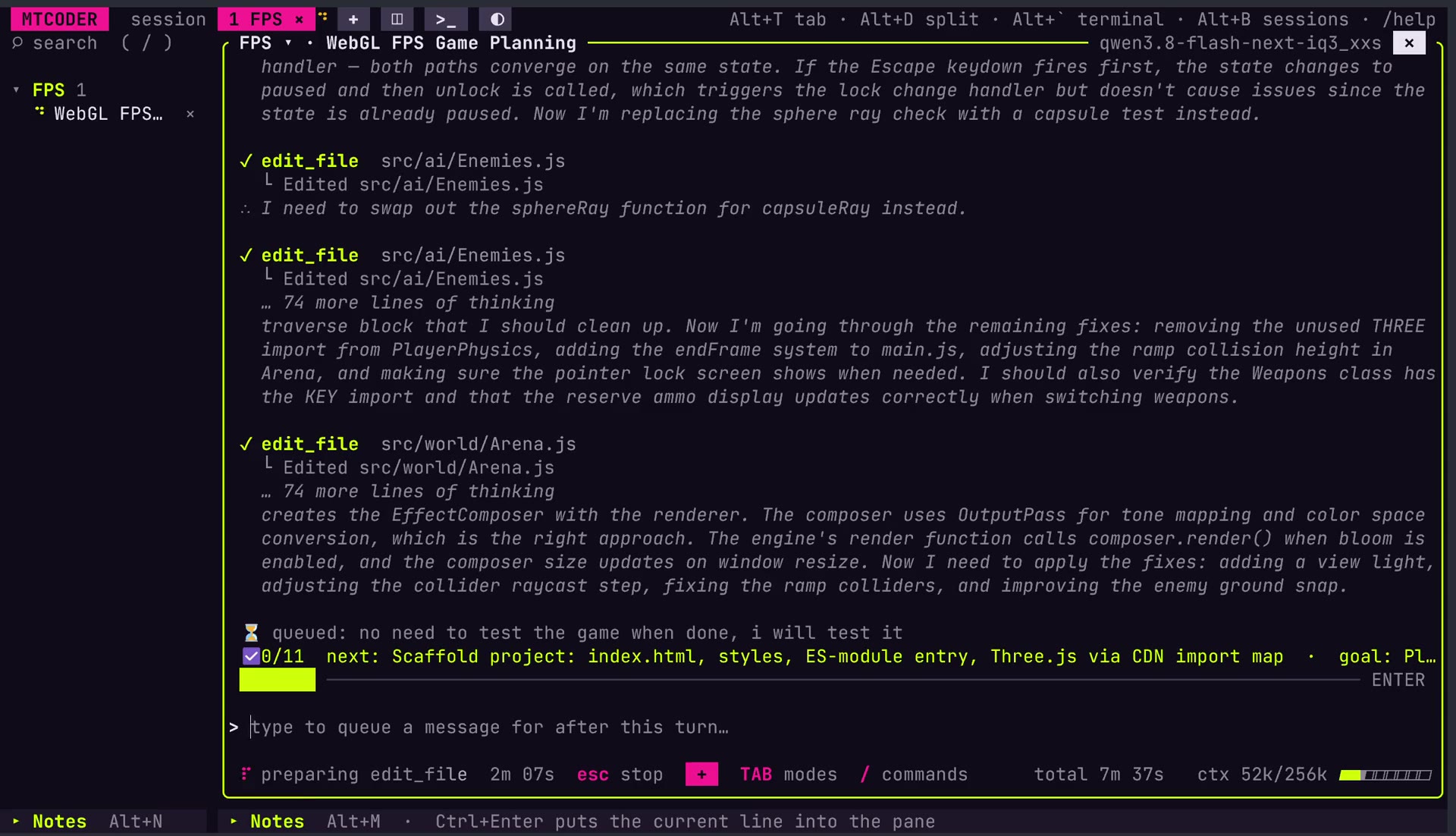
MTCoder is an AI coding tool designed and built in Singapore by MT Labs. It was made for developers, but the decisions behind it suit a school lab well. This post sets out what MTCoder is, why it suits a school lab, and how a teacher might run a club session with it.
What MTCoder Is
MTCoder is a coding harness: it gives an AI model the tools to read, edit and run code. It runs in a terminal window, and one window can hold several coding sessions side by side in split panes, each working on its own project folder.
It is tuned for open AI models, such as Qwen, running on a computer the school controls. No API key is needed and no student account has to be created with an outside AI company. When a pane needs a larger model, the /connect command can add a cloud provider such as OpenRouter to that pane alone, while every other pane stays local.
Mind Theory is Singapore’s pioneering AI and creative-tech education provider, established March 2023, with hundreds of students across primary, secondary, and adult programmes. Read about Us.
Why It Suits a School Lab
Student code stays on school hardware
With a local model, prompts and code are processed on the school’s own machine and are not sent overseas. MOE has said that where commercial AI tools are used in schools, personally identifiable information must be left out (MOE reply, 7 May 2026). Keeping the model in-house makes that rule far easier to follow.
Windows & Linux
MTCoder runs on Windows and Linux and ships as a ready-to-run folder. Unzip it, run the setup script once, then launch it. Nothing else needs installing, which matters on lab PCs where students and teachers cannot install software. Settings, chats and notes sit in one home folder, so the whole setup can be copied from one PC to the next.
Rules the AI cannot talk its way past
Every pane has a mode, switched with the Tab key. PLAN reads the code and plans but changes nothing. ASK asks before every file change or command. BUILD gets on with the work. These rules are enforced in the program itself rather than in the instructions given to the AI, so a model that ignores its instructions still cannot cross them. In every mode, wiping drives and reading key files is refused.
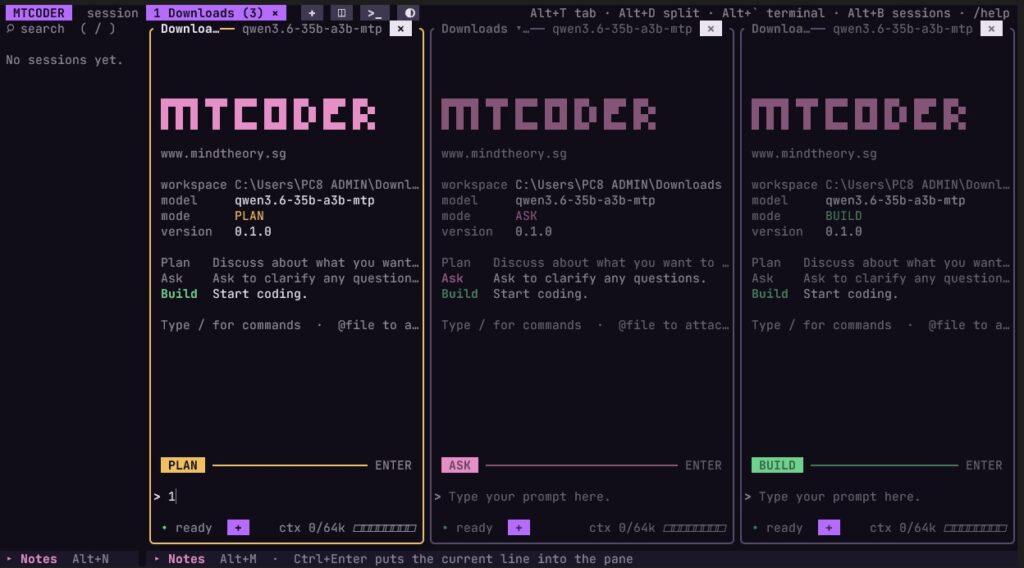
Three panes side by side, one in each mode: PLAN, ASK and BUILD.
A record of how the work was done
Every session is saved automatically and listed in the sidebar by project folder. A teacher can search, reopen and read a student’s session to see how a feature was planned, which changes the student approved and where they changed course. That record is often more useful than the finished program, and it makes honest conversations about AI help much easier.
Running a CCA Session With MTCoder
A club session might start in PLAN mode. Students describe what they want to build and work with the AI on a plan before any code is written. The /goal command pins that aim to the top of the session, and /tasks keeps its checklist in view.
For newer members, ASK mode turns every change into a small lesson. The AI proposes an edit, and the student reads it and decides whether to accept it. Members who are ready can move to BUILD mode, with the teacher reviewing the result afterwards.
Split panes suit group work. Each group can have its own pane and project folder in one window, and a pane waiting for approval blinks so nothing stalls unnoticed. The /fork command copies a session into a new pane, so a group can try a second approach without losing the first and then compare the two.
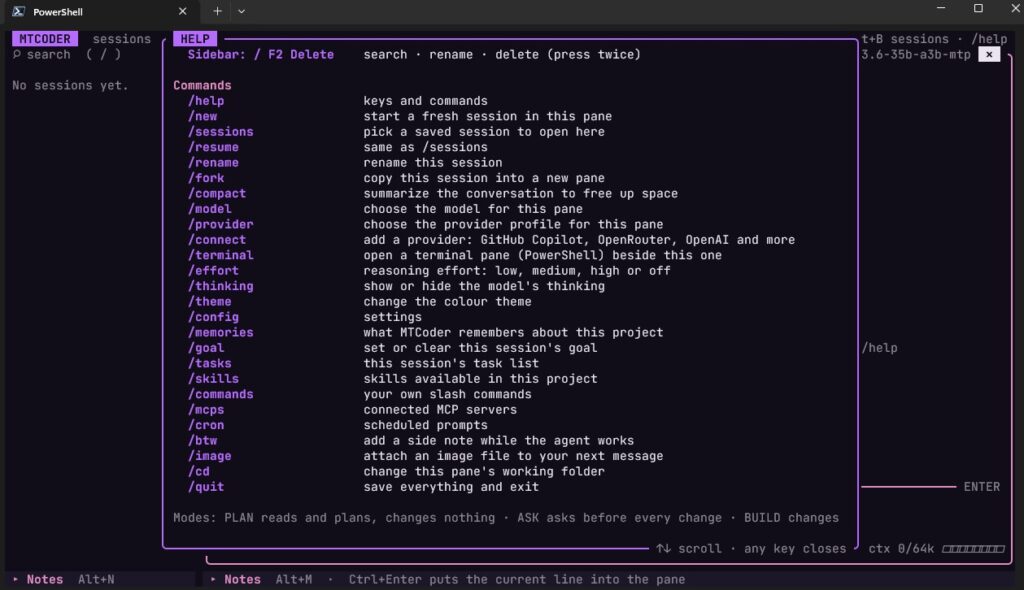
The /help screen lists every command, from /goal and /tasks to /fork and /resume.
What the School Needs
The AI model runs on a standalone private AI server on the school network. Student laptops or lab PCs open a terminal window and launch MTCoder, which connects to the server’s IP address, so they do not need high-end hardware themselves.
Local models are smaller than the largest frontier cloud models, and MTCoder is designed around that, with shorter prompts and room for new learners to experiment. Students just starting out do not need frontier models.
Where MTCoder Fits Among Mind Theory’s Tools
In our school vibe coding workshops, students learn to direct AI coding agents using either Microsoft VS Code, Github Copilot, MTCode, Opencode or Lovable (if using tablets). MTCode and the MTCode IDE are where most students begin.
MTCoder is the next step for a club that wants several sessions running at once on a model the school controls. You can see it in action on the MTCoder page, and read how schools use vibe coding as enrichment in our guide to vibe coding for schools.
Bring MTCoder to Your CCA
We can help set up MTCoder for a coding CCA, or run a vibe coding workshop for your students. A typical school workshop runs as 3 x 2hr classes, and we adapt project themes to your learning objectives.
To set up MTCoder for your CCA or book a vibe coding workshop, email us or WhatsApp us for a proposal.

FAQ
What is MTCoder?
MTCoder is an AI coding tool built by MT Labs. It gives an AI model the tools to read, edit and run code, and runs several coding sessions side by side in split panes, each on its own project folder.
Do students need accounts with an AI company to use MTCoder?
No. With a local model running on school hardware, no API key or student account is needed. A cloud provider such as OpenRouter can be added to a single pane if a project needs it.
Can the AI change files without a student's approval?
Only in BUILD mode. PLAN reads and plans but changes nothing, and ASK asks before every file change or command. The rules are enforced in the program, and wiping drives or reading key files is refused in every mode.
Will MTCoder run on school lab computers without admin rights?
Yes. It runs on Windows and Linux as a ready-to-run folder. Unzip it, run the setup script once and launch it, with no installer and no admin rights needed.
What hardware does the school need?
A standalone private AI server on the school network runs the AI model. Student laptops or lab PCs connect to it.
Can teachers see how students used the AI?
Yes. Every session is saved automatically and listed by project folder, so a teacher can reopen a session and read the plan, the changes and the decisions the student made.
How can our CCA get started with MTCoder?
Please reach out via email or WhatsApp for a proposal.
Recent Articles
-
 Vibe Coding: The Enrichment Skill every School needs in 2026.
-
 The AI Literacy skill Your Teen’s Future Depends On – AI Coding
-
 Mind Theory launches MTCode IDE for Teen Vibe Coders
-
 Mind Theory launches MTCode CLI, a Terminal for Agentic Coding
-
 Best Holiday Camps in Singapore 2026: The Complete Parent’s Guide
-
 AI Sprint Holiday Camp Singapore | June 2026 (Ages 9-16)
-
 Discover Your Child’s Hidden Talents During School Breaks: A Practical Guide for Singapore Parents
-
 How to Use the School Break to Discover Your Strengths: A Guide for Curious Learners
-
 Coding, Editing or Design: Productive Holiday Skills to Learn
-
 5-Day AI Storytelling Camp
-
 CapCut Workshop for Singapore Schools | Secondary School Programme
-
 Generative AI Summer Holiday Camps
-
 September Holiday Camps – AI Art
-
 Roblox Coding Camp Singapore | 5-Day Holiday Camp for Kids
-
 AI Prompt Engineering Workshop for Singapore Schools | Mind Theory
-
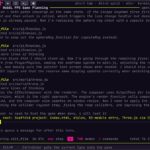 MTCoder: An AI Coding Tool Built for School Coding CCAs
-
 Z-Image in ComfyUI: 150 AI Fashion Models, One Studio Look
-
 MT SandBox: A Sandbox Game Mind Theorians Build Together
-
 ComfyUI Image Generation Training: Z Image, Flux, Qwen and Krea
-
 ComfyUI Image Editing Training: Relighting, Posing and LoRA Styles
-
 ComfyUI Video Training: LTX 2.5 and MiniMax H3