
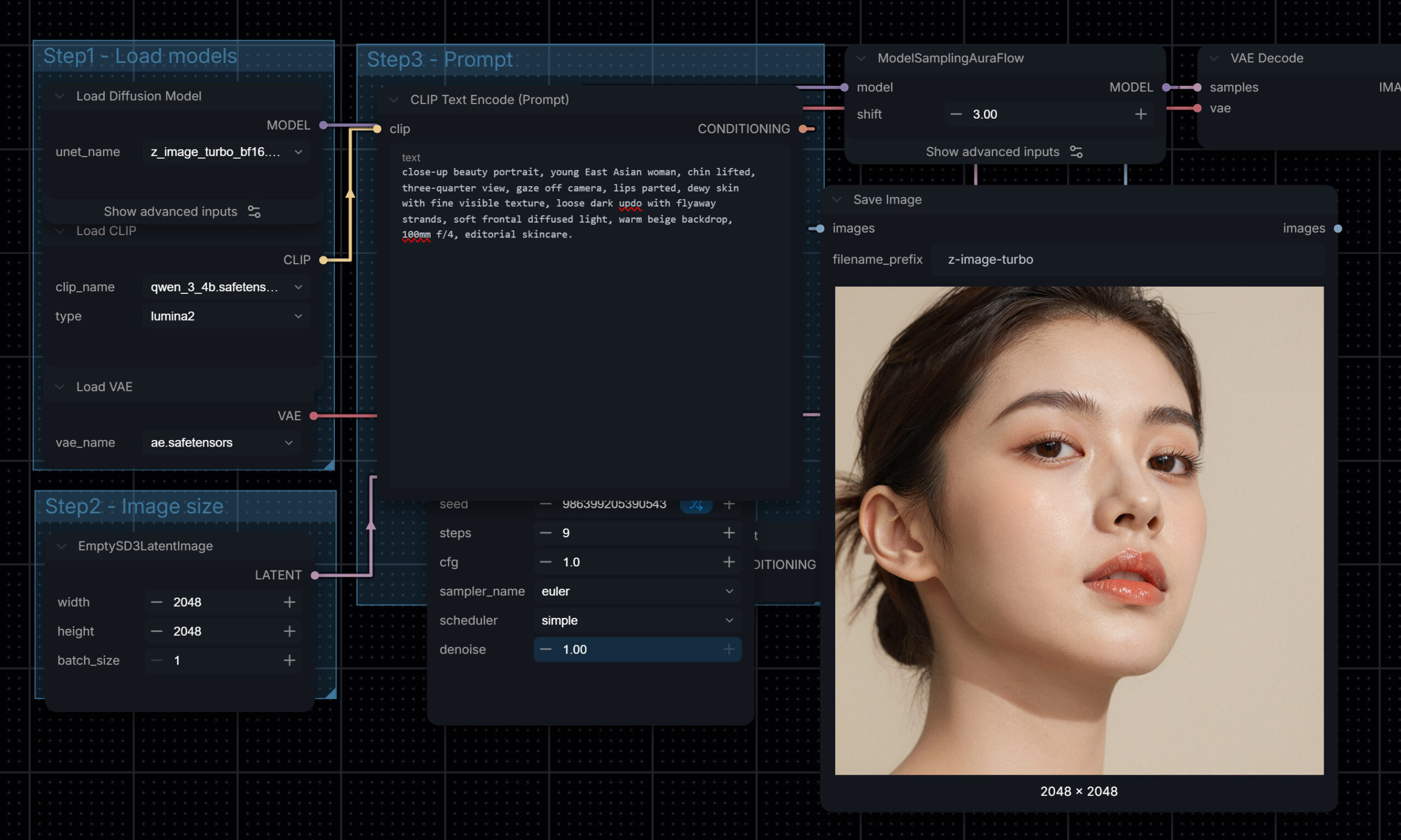
Our ComfyUI image generation training teaches adults, company teams and enterprise creative departments to produce campaign-quality images on their own hardware with the current open models: Z-Image Turbo, Flux 2 Klein, Qwen-Image 2.1 and Krea 2 Turbo. Taught by a creative director with over 20 years of advertising experience in motion and 3D, the course is built around the decisions a professional makes: which model suits the brief, which settings control the look, and which licence allows client work.
Here is one of the benchmark exercises attendees run in class, using the same prompt across models so the differences are easy to see. Click any image to view it larger.
Exercise 1: The Beauty Portrait
The prompt reads like a photographer’s brief: a close-up of a young East Asian woman, chin lifted, three-quarter view, gaze off camera, dewy skin with visible texture, a loose updo with flyaway strands, soft frontal light, a warm beige backdrop and a 100mm lens at f/4.
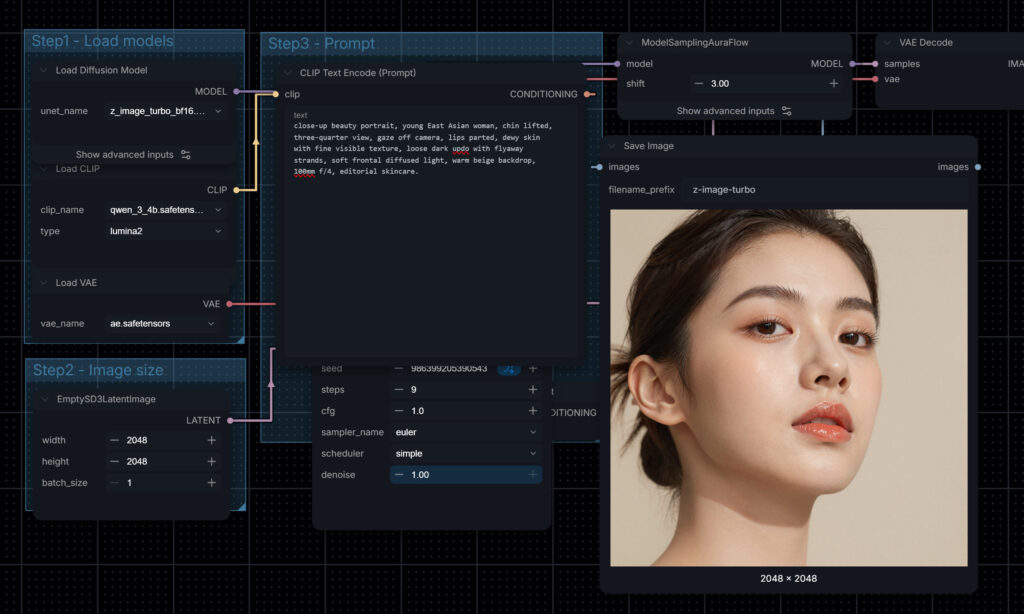
Z-Image Turbo gives a flawless, retouched beauty look, with a neat updo, glossy lips and smooth, dewy skin. It is close to a finished skincare key visual as it comes.

Qwen-Image 2.1 follows the loose hair and flyaway strands more literally, with a messier, more editorial hairline and visible texture across the cheeks.

Krea 2 Turbo looks the most like a real photograph, with fine flyaways, natural highlights on the skin and a slightly filmic tone.
For East Asian faces, Z-Image Turbo and Krea 2 Turbo were the strongest, so the choice comes down to whether the brief wants idealised beauty or natural, believable people. Flux 2 Klein struggled with East Asian faces, which is worth knowing before you choose a model for Singapore work.
Mind Theory is Singapore’s pioneering AI and creative-tech education provider, established March 2023, with hundreds of students across primary, secondary, and adult programmes. Read about Us.
The same prompt with a male model
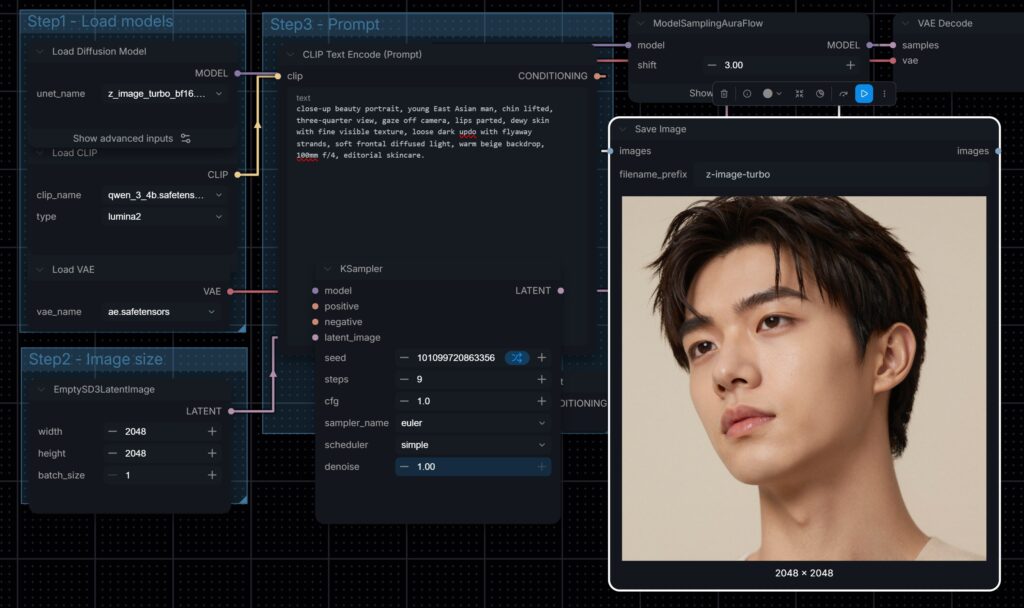
Z-Image Turbo gave a sharp, idol-style portrait with short hair, and ignored the updo in the prompt.
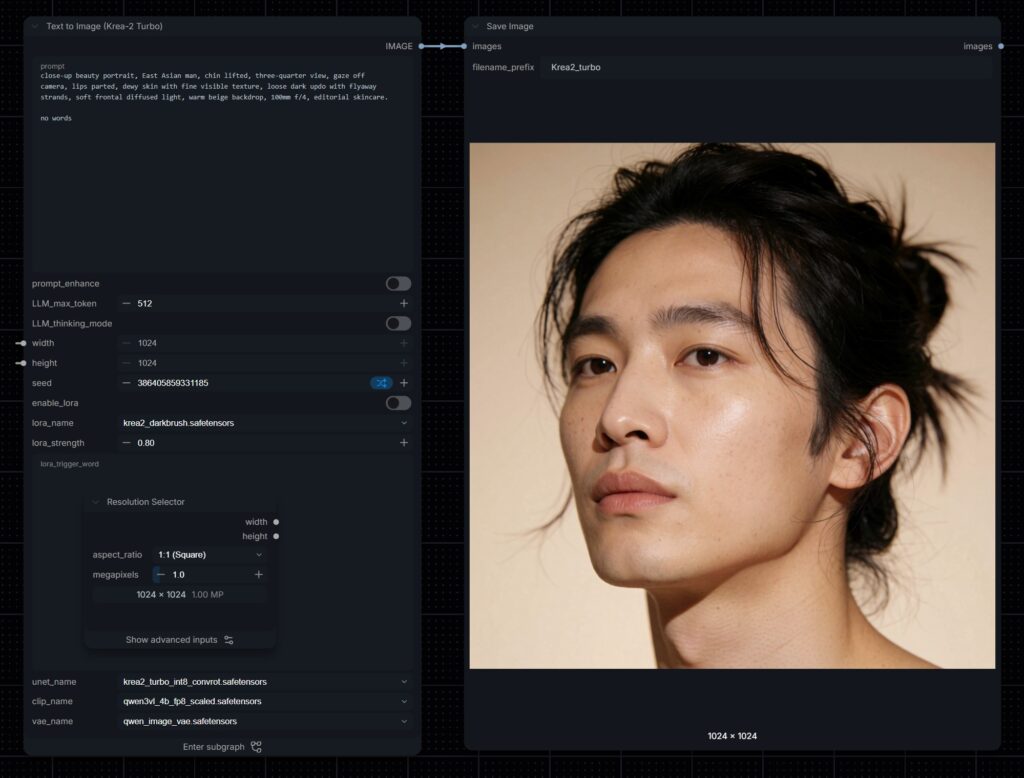
Krea 2 Turbo was the only model that tied the hair back as the prompt asked, and it added the most skin detail. Attendees learn how to fix a missed detail like Z-Image’s through wording, because at the settings these fast models use, a negative prompt has no effect.
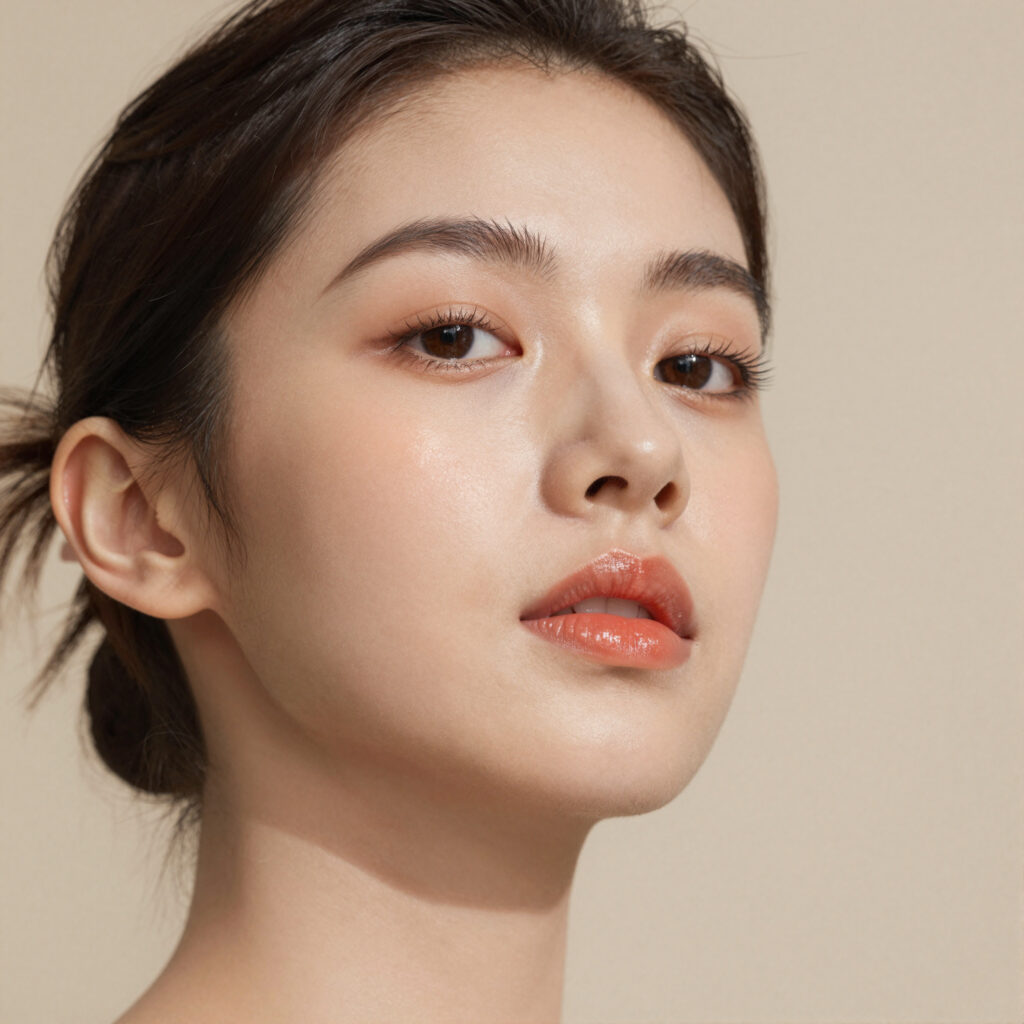
Z-Image Turbo at its full 2048 pixel output. Open it larger and look at the lashes, brows and lip texture.
Exercise 2: The Fashion Catalogue Shot
The second prompt is a full-body catalogue brief: a model in a minimalist studio, one hand in pocket, an oversized neutral knit and wide-leg trousers, a key light from the left and a seamless beige backdrop. It tests anatomy, how clothing drapes and whether the light comes from the right direction.
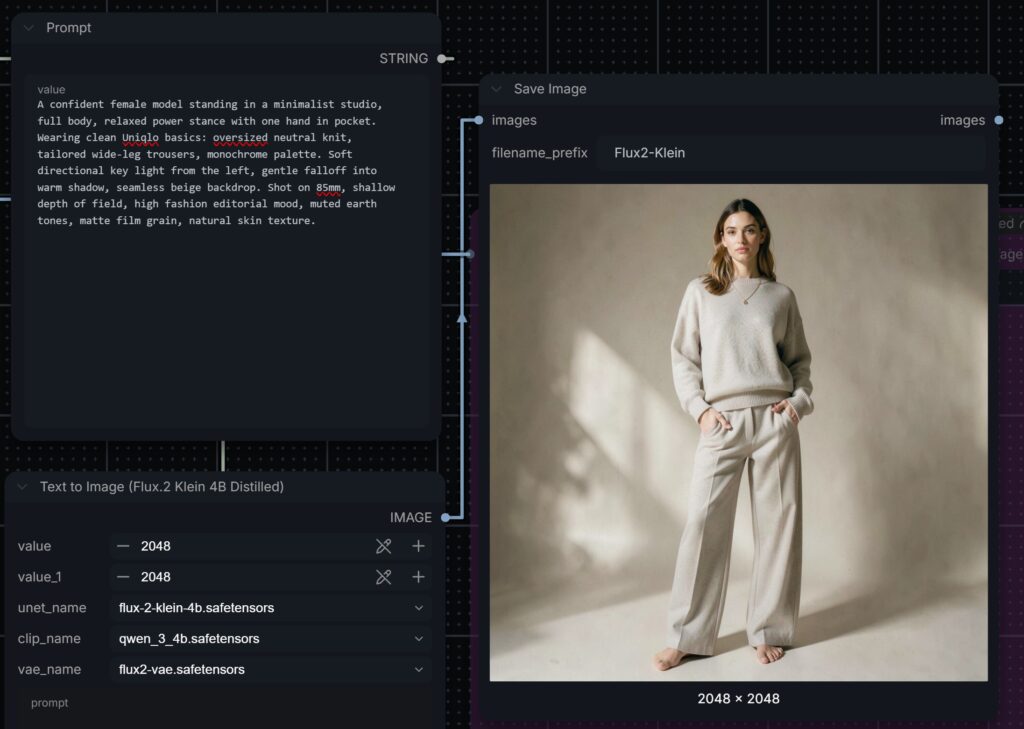
Flux 2 Klein 4B handled the light direction best, with a hard key from the left throwing a clear shadow across the backdrop. It is also the fastest of the four, ideal for quick concept rounds.
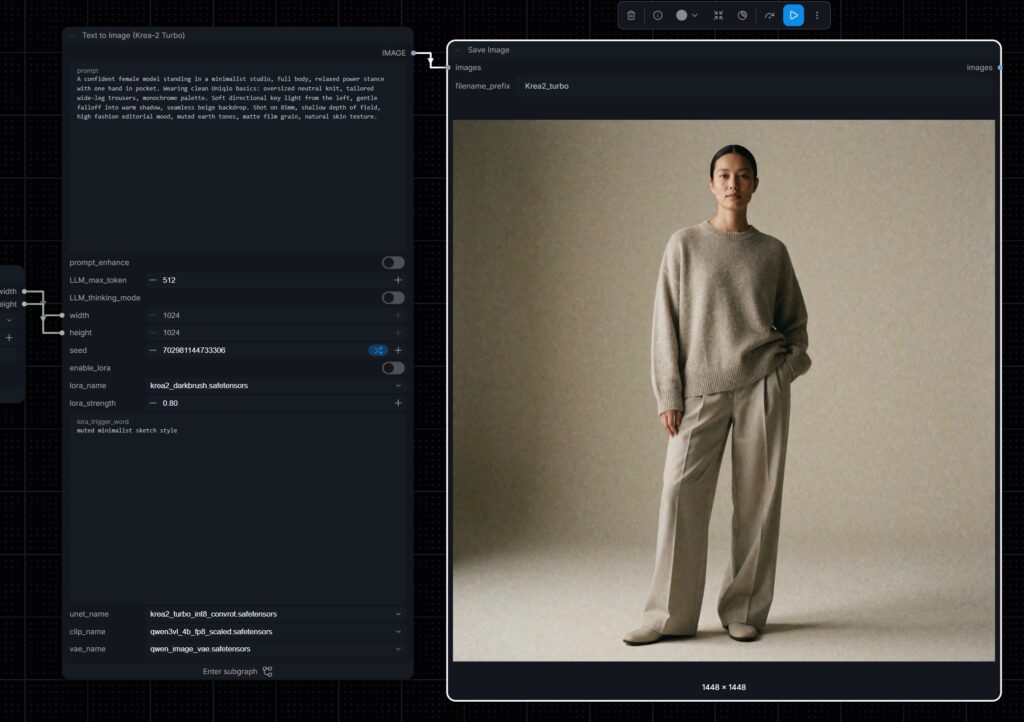
Krea 2 Turbo looks the most like a real catalogue photograph, with visible knit texture, film grain and a natural stance.

Z-Image Turbo gives a clean, evenly lit image that is ready to drop straight into an online store.
Want to create images like these yourself? Email us or WhatsApp us about the next ComfyUI class.
The Settings You Will Learn to Control
CFG sets how strongly the model follows the prompt. Fast distilled models run at 1.0, and pushing it higher makes colours oversaturate and skin look plastic.
Steps decide how long the model refines the image. Distilled models finish in 4 to 9 steps, while Qwen-Image 2.1 needs around 25.
Sampler and scheduler. We use Euler with the simple scheduler as a baseline because the same seed always gives the same image, which makes revisions controllable.
Resolution and seeds. Each model has a pixel budget it works best at, and recording seeds lets you recreate an approved image exactly.
Licences: What You Can Use Commercially
Open weights do not always mean free commercial use, and we cover this in class. Z-Image Turbo and Flux 2 Klein 4B are Apache 2.0, so commercial use is allowed. Flux 2 Klein 9B and Qwen-Image 2.1 are non-commercial unless you obtain a commercial licence. Krea 2 is free for commercial use only for smaller organisations, with larger companies needing an enterprise licence. Always check the current terms on each model’s official page.
Ready to start? See the full lesson plan on our ComfyUI course page, or ask about ComfyUI corporate training for your team.
More from this ComfyUI course series: turning images into video and image editing.
Established in March 2023, Mind Theory is Singapore’s pioneering AI education provider, offering Gen AI courses and corporate training for adults, working professionals and marketers.
Attendees build web apps through vibe coding and create production-ready AI visuals using prompt frameworks and AI-powered tools. To find out more, visit our Courses page.
Contact us to book a class by email or Whatsapp..

FAQ
Which AI image models does the course teach?
Z-Image Turbo, Flux 2 Klein, Qwen-Image 2.1 and Krea 2 Turbo, all running locally in ComfyUI. We compare them on the same prompts so you learn which model suits which brief.
Can I use AI images from these models commercially?
It depends on the model. Z-Image Turbo and Flux 2 Klein 4B are Apache 2.0 and allow commercial use. Flux 2 Klein 9B and Qwen-Image 2.1 are non-commercial unless licensed. Krea 2 is free commercially only for smaller organisations.
Who is the ComfyUI course for?
Adults and working professionals, company teams and enterprise creative departments, including designers and marketers. No coding is needed, and complete beginners are welcome.
What do I need to bring?
Your own laptop or PC with an Nvidia GPU. ComfyUI and its models are installed on your machine during class, so everything is ready to use at home afterwards.
How big are the classes?
Classes are small, at around 5 to 7 students, so every attendee gets hands-on help with their own setup and images.
Do you run ComfyUI training for companies?
Yes. We run corporate group bookings and in-house training for creative teams. Please reach out via email or WhatsApp for a proposal.
How much does the ComfyUI course cost?
Pricing depends on the format and group size. Please reach out via email or WhatsApp for details.
Recent Articles
-
 Vibe Coding: The Enrichment Skill every School needs in 2026.
-
 The AI Literacy skill Your Teen’s Future Depends On – AI Coding
-
 Mind Theory launches MTCode IDE for Teen Vibe Coders
-
 Mind Theory launches MTCode CLI, a Terminal for Agentic Coding
-
 Best Holiday Camps in Singapore 2026: The Complete Parent’s Guide
-
 AI Sprint Holiday Camp Singapore | June 2026 (Ages 9-16)
-
 Discover Your Child’s Hidden Talents During School Breaks: A Practical Guide for Singapore Parents
-
 How to Use the School Break to Discover Your Strengths: A Guide for Curious Learners
-
 Coding, Editing or Design: Productive Holiday Skills to Learn
-
 5-Day AI Storytelling Camp
-
 CapCut Workshop for Singapore Schools | Secondary School Programme
-
 Generative AI Summer Holiday Camps
-
 September Holiday Camps – AI Art
-
 Roblox Coding Camp Singapore | 5-Day Holiday Camp for Kids
-
 AI Prompt Engineering Workshop for Singapore Schools | Mind Theory
-
 Z-Image in ComfyUI: 150 AI Fashion Models, One Studio Look
-
 MT SandBox: A Sandbox Game Mind Theorians Build Together
-
 ComfyUI Image Generation Training: Z Image, Flux, Qwen and Krea
-
 ComfyUI Image Editing Training: Relighting, Posing and LoRA Styles
-
 ComfyUI Video Training: LTX 2.5 and MiniMax H3
-
 Retro PC: Windows 95 in Your Browser