
Generating a new image is only half of what ComfyUI can do. The other half is image editing: changing elements in an image while keeping everything else the same. Our ComfyUI image editing training teaches exactly that to adults, company teams and enterprise creative departments. Taught by a creative director with over 20 years of advertising experience in motion and 3D, the lessons focus on edits that hold up in real client work.
These are the exercises attendees work through in class. Click any image to view it larger.
Placing a Person Into a New Location
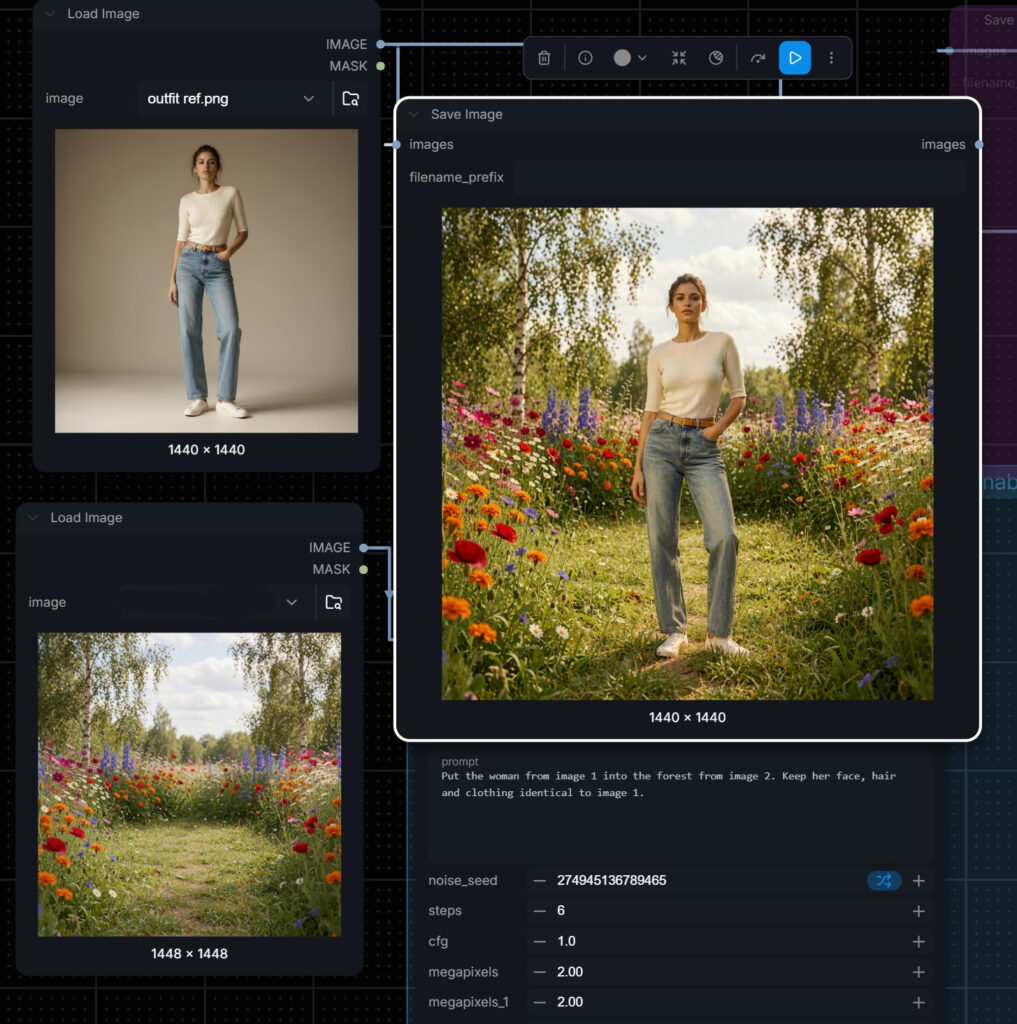
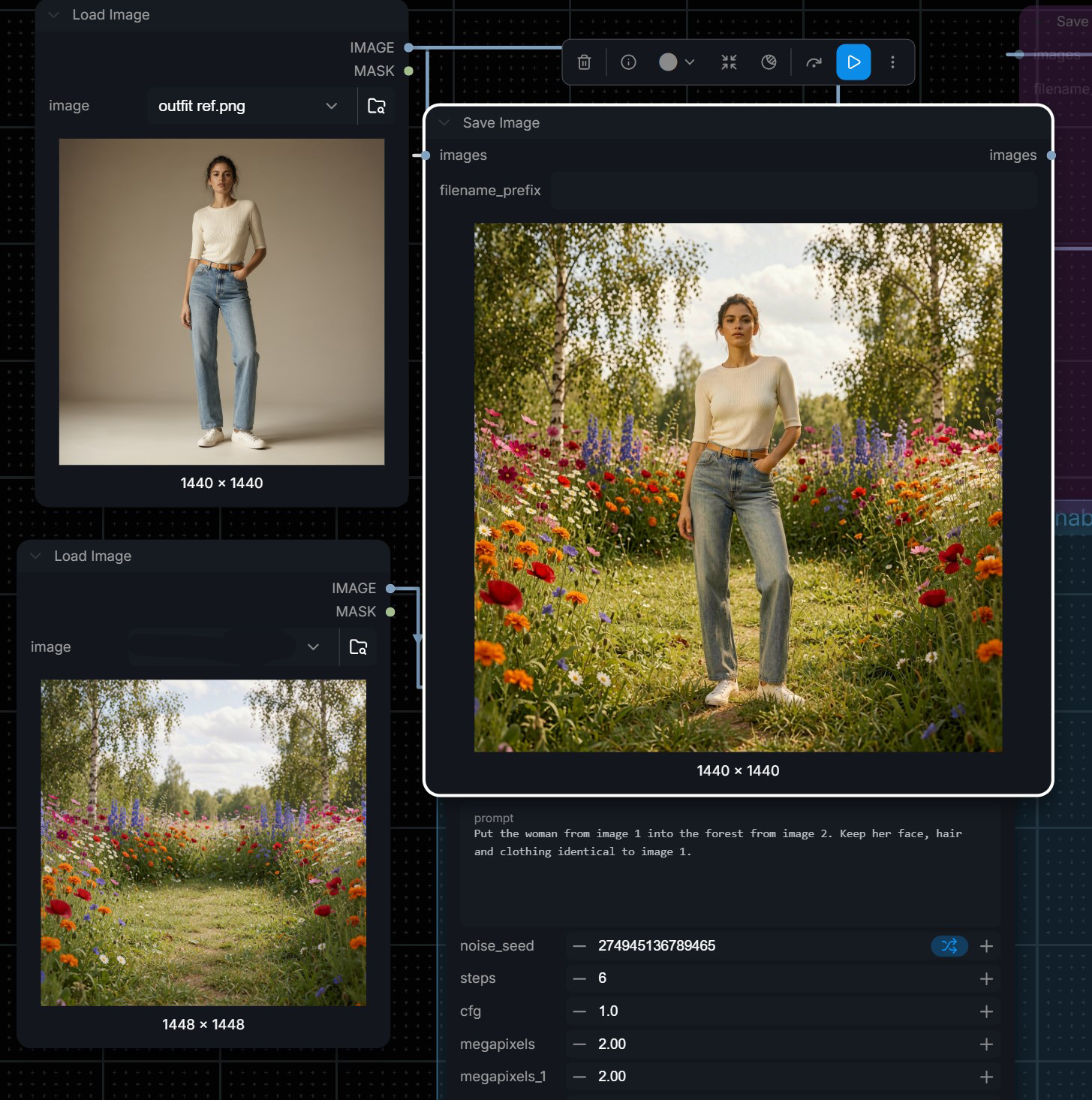
Attendees combine two reference images, a studio shot of a model and a photograph of a meadow, and write a plain instruction to place her in the scene while keeping her face, hair and clothing identical. It teaches the most important editing habit: saying clearly what must not change.
Mind Theory is Singapore’s pioneering AI and creative-tech education provider, established March 2023, with hundreds of students across primary, secondary, and adult programmes. Read about Us.
Relighting a Scene
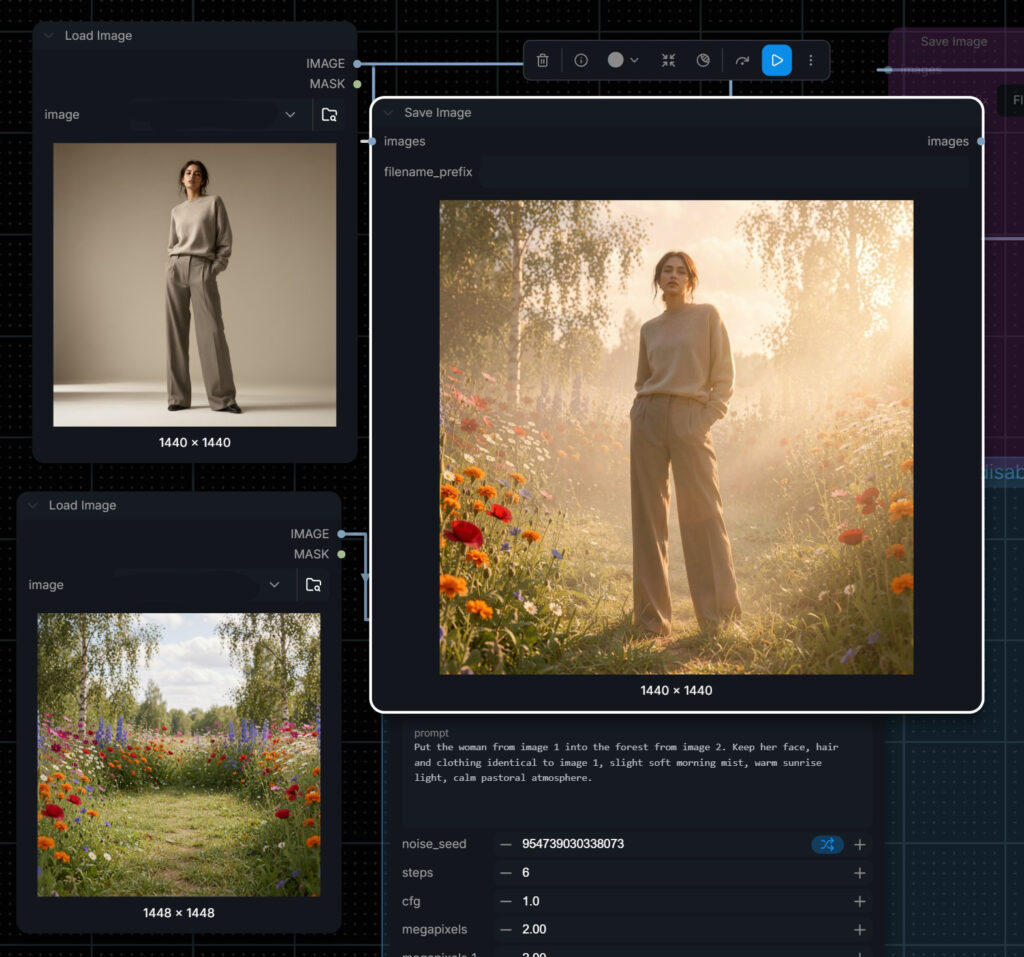
The same edit with soft morning mist and warm sunrise light added. The outfit and pose stay the same, but the mood of the whole picture changes. Attendees learn how light direction and colour are described so the result looks photographed rather than filtered.
A New Pose With a Product in Hand
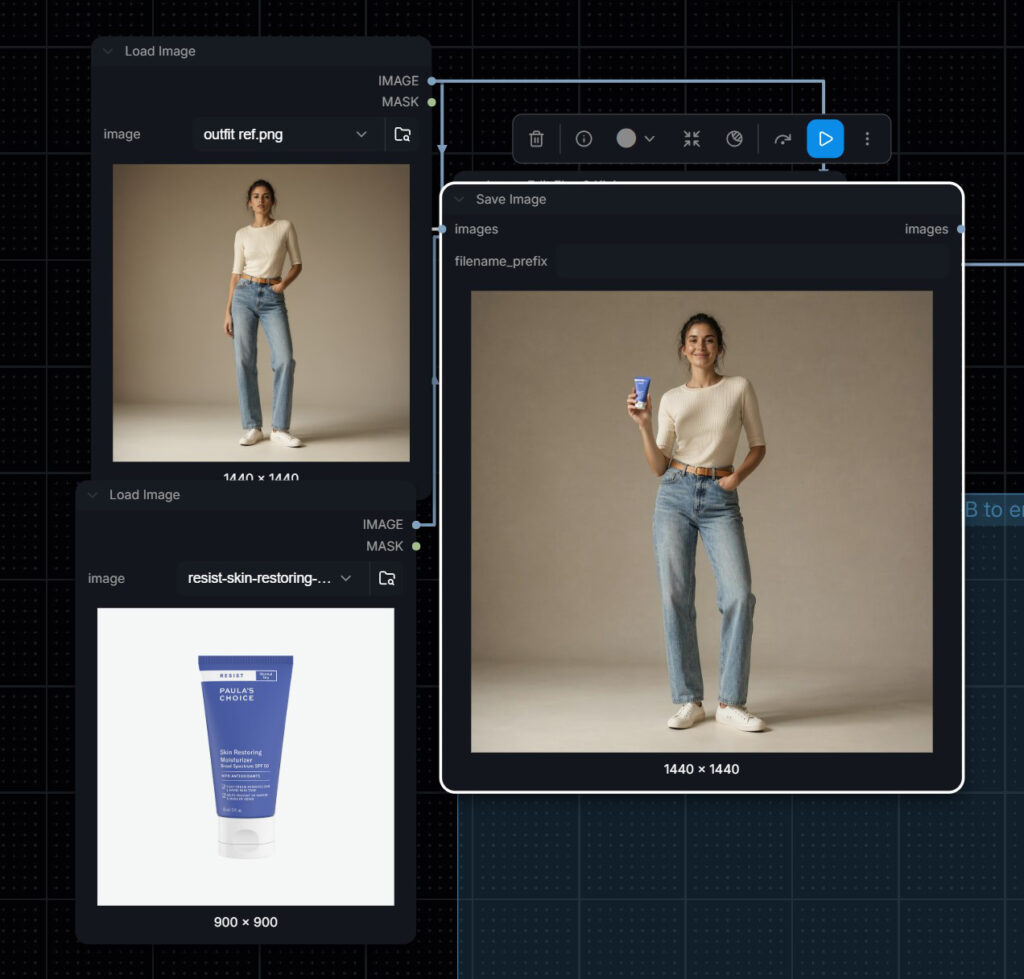
From an outfit reference and a plain product packshot, attendees create a new pose with the model smiling and holding the product. It is the exercise online sellers and marketers ask about most, because one approved image can front a whole product range. We also teach how to check the pack carefully for label, colour and shape before an image is used.
Want to learn these edits on your own laptop? Email us or WhatsApp us about the next ComfyUI class.
Restoring and Upscaling Old Photographs
Old or small photographs can be rebuilt at much higher resolution.
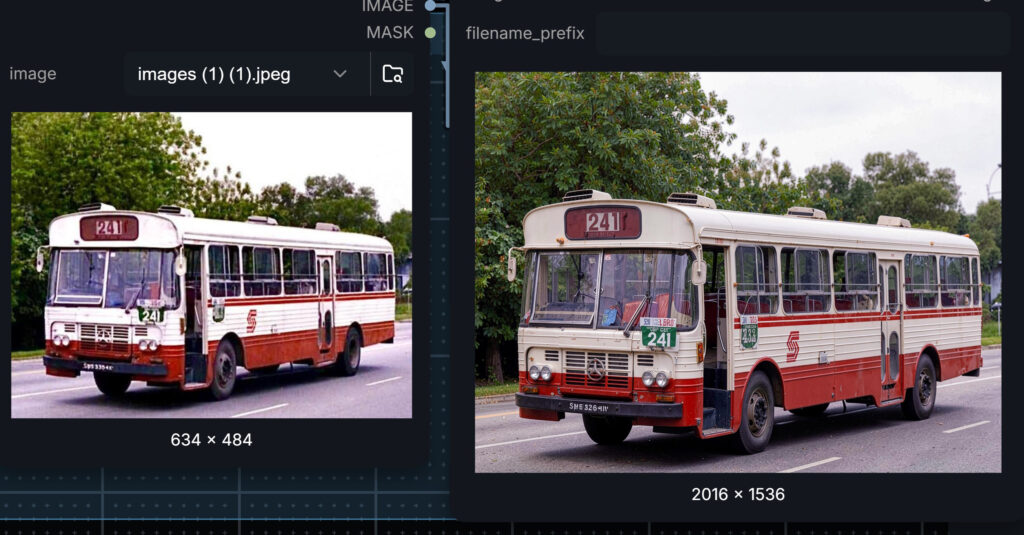
A vintage bus photo goes from 634 to 2016 pixels wide with its colour and paintwork restored. Attendees also learn the catch: restoration can invent detail. The number plate on the restored bus is not the original one, so for anything historical, text and signage must be checked against the source.
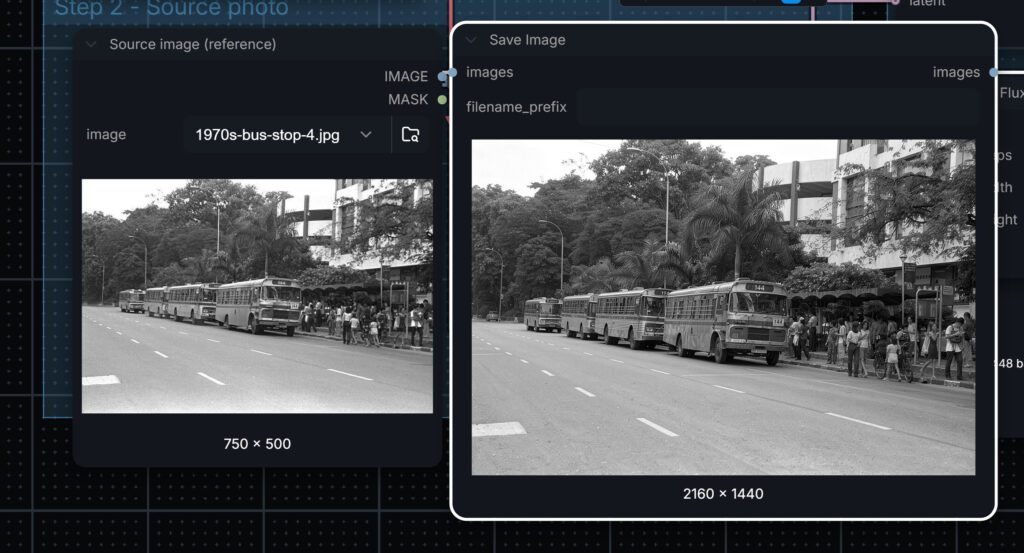
A 1970s street scene goes from 750 to 2160 pixels wide while keeping its original black and white tone.
LoRA Styles: One Photo, Many Looks
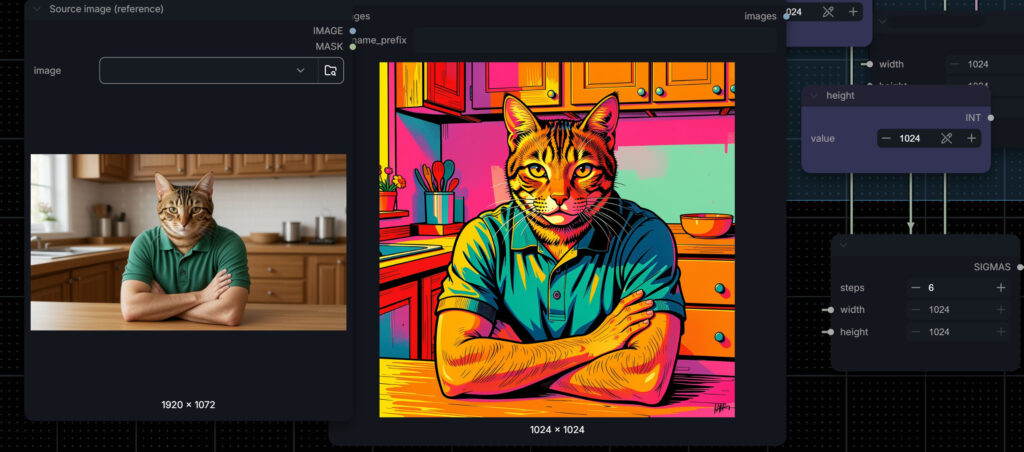
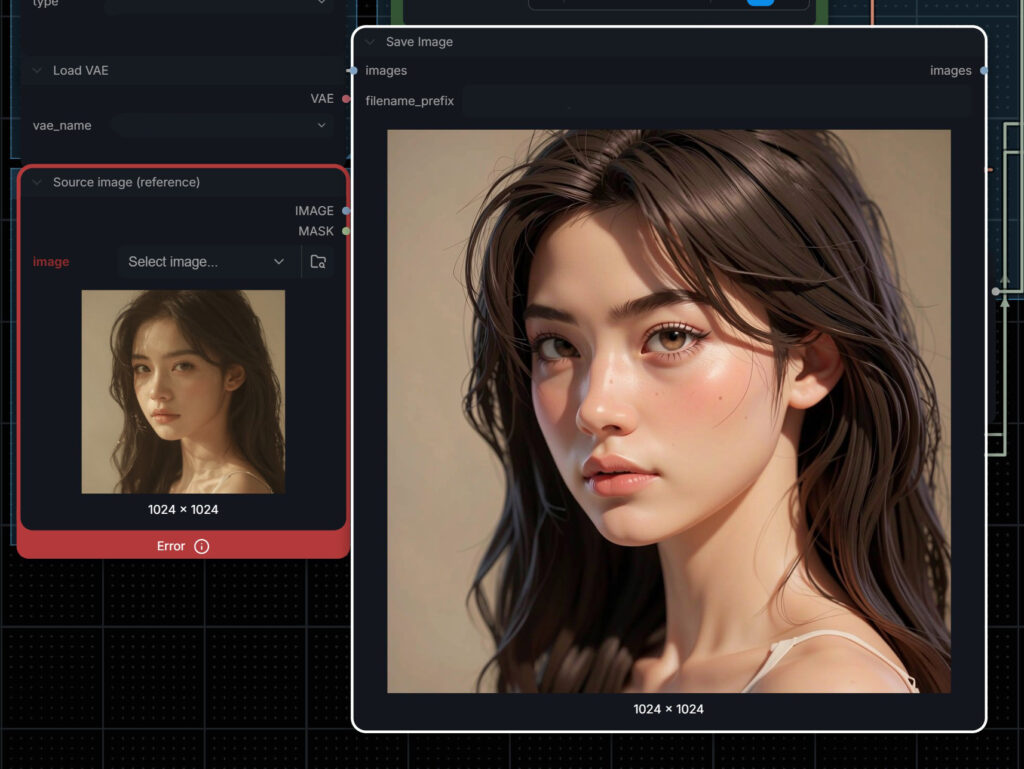
A LoRA is a small add-on that teaches ComfyUI a particular style, character or product. Attendees learn to load and combine LoRAs, and how a brand can use one to keep every image in a campaign consistent. These are some of the styles we practise with.
Anime
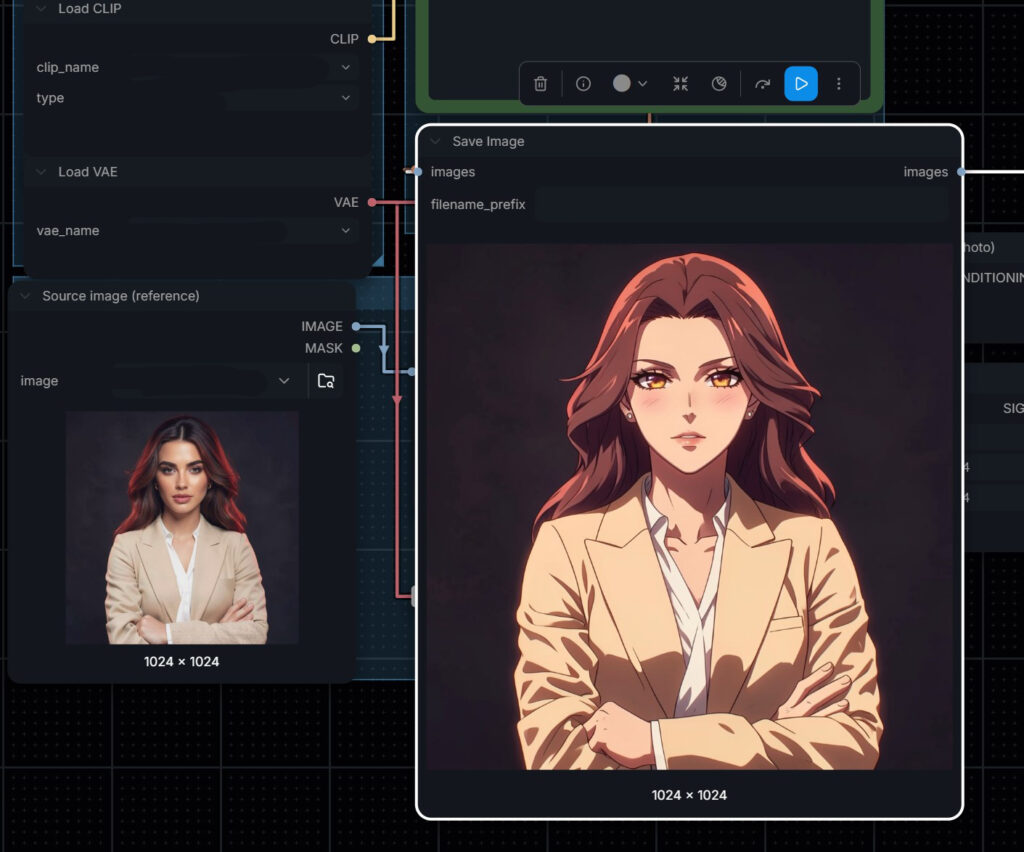
Outlined illustration
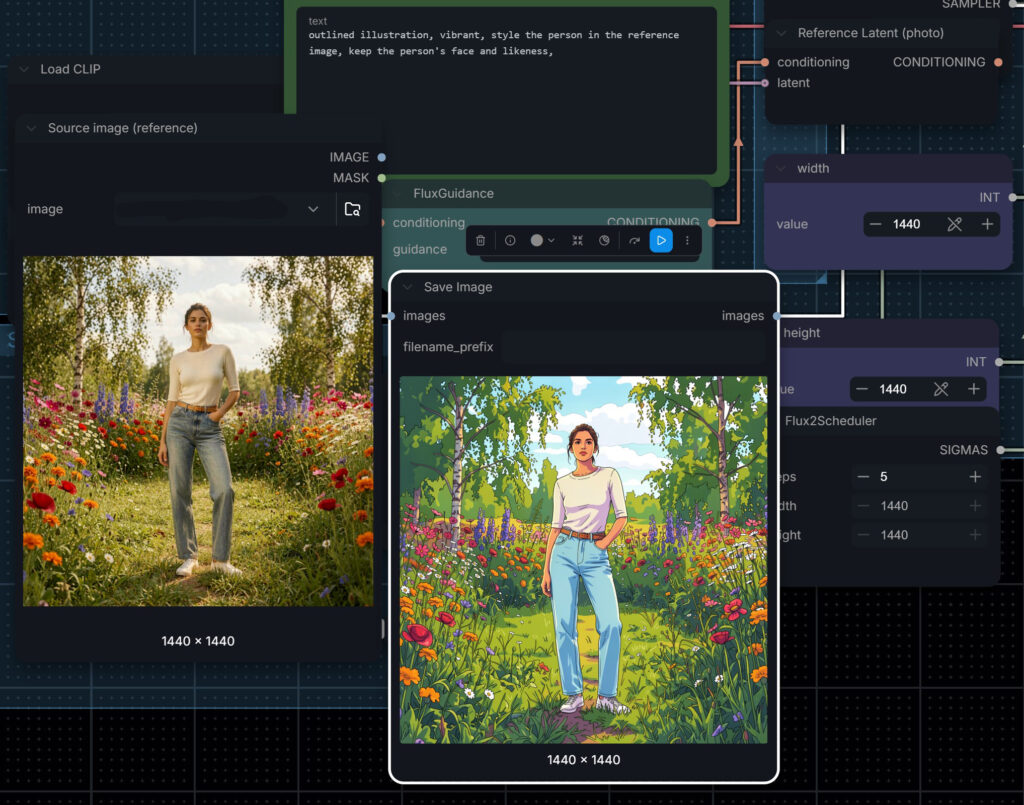
Pop art
Pencil storyboard
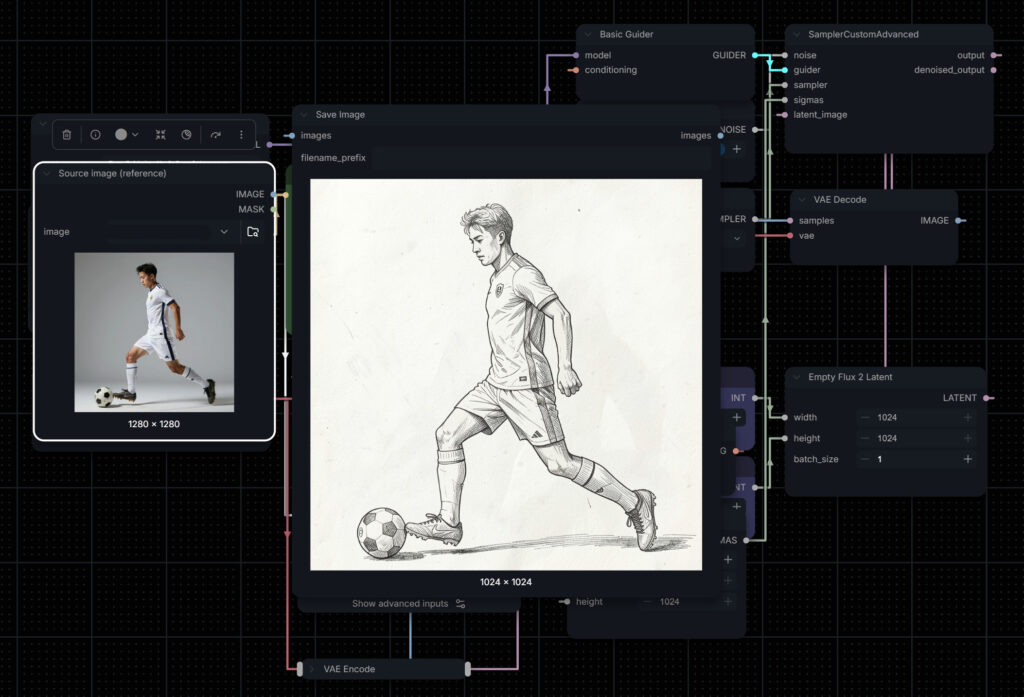
Turning reference photos into storyboard frames is a quick way to plan a video or animation before anything is filmed.
Stylised 3D character
Why Learn Editing in ComfyUI
ComfyUI runs on your own computer, so product images, client photos and unreleased work never have to be uploaded to an online service. Every edit is saved as a workflow file, which means you can repeat the same look months later or share it with your team.
See the full lesson plan on our ComfyUI course page, or ask about ComfyUI corporate training for an in-house creative team.
More from this ComfyUI course series: turning images into video and AI image generation.
Established in March 2023, Mind Theory is Singapore’s pioneering AI education provider, offering Gen AI courses and corporate training for adults, working professionals and marketers.
Attendees build web apps through vibe coding and create production-ready AI visuals using prompt frameworks and AI-powered tools. To find out more, visit our Courses page.
Contact us to book a class by email or Whatsapp..

FAQ
What image editing skills does the ComfyUI course cover?
Placing people into new locations from reference images, relighting, re-posing a model with a product, restoring and upscaling old photos, and applying LoRA styles such as anime, illustration, pop art, storyboard and stylised 3D.
What is a LoRA in ComfyUI?
A LoRA is a small add-on file that teaches ComfyUI a specific style, character or product. It lets you apply a consistent look across many images.
Who is the ComfyUI course for?
Adults and working professionals, company teams and enterprise creative departments, including designers and marketers. No coding is needed, and complete beginners are welcome.
What do I need to bring?
Your own laptop or PC with an Nvidia GPU. ComfyUI and its models are installed on your machine during class, so everything is ready to use at home afterwards.
How big are the classes?
Classes are small, at around 5 to 7 students, so every attendee gets hands-on help with their own setup and images.
Do you run ComfyUI training for companies?
Yes. We run corporate group bookings and in-house training for creative teams. Please reach out via email or WhatsApp for a proposal.
How much does the ComfyUI course cost?
Pricing depends on the format and group size. Please reach out via email or WhatsApp for details.
Recent Articles
-
 Vibe Coding: The Enrichment Skill every School needs in 2026.
-
 The AI Literacy skill Your Teen’s Future Depends On – AI Coding
-
 Mind Theory launches MTCode IDE for Teen Vibe Coders
-
 Mind Theory launches MTCode CLI, a Terminal for Agentic Coding
-
 Best Holiday Camps in Singapore 2026: The Complete Parent’s Guide
-
 AI Sprint Holiday Camp Singapore | June 2026 (Ages 9-16)
-
 Discover Your Child’s Hidden Talents During School Breaks: A Practical Guide for Singapore Parents
-
 How to Use the School Break to Discover Your Strengths: A Guide for Curious Learners
-
 Coding, Editing or Design: Productive Holiday Skills to Learn
-
 5-Day AI Storytelling Camp
-
 CapCut Workshop for Singapore Schools | Secondary School Programme
-
 Generative AI Summer Holiday Camps
-
 September Holiday Camps – AI Art
-
 Roblox Coding Camp Singapore | 5-Day Holiday Camp for Kids
-
 AI Prompt Engineering Workshop for Singapore Schools | Mind Theory
-
 Z-Image in ComfyUI: 150 AI Fashion Models, One Studio Look
-
 MT SandBox: A Sandbox Game Mind Theorians Build Together
-
 ComfyUI Image Generation Training: Z Image, Flux, Qwen and Krea
-
 ComfyUI Image Editing Training: Relighting, Posing and LoRA Styles
-
 ComfyUI Video Training: LTX 2.5 and MiniMax H3
-
 Retro PC: Windows 95 in Your Browser