
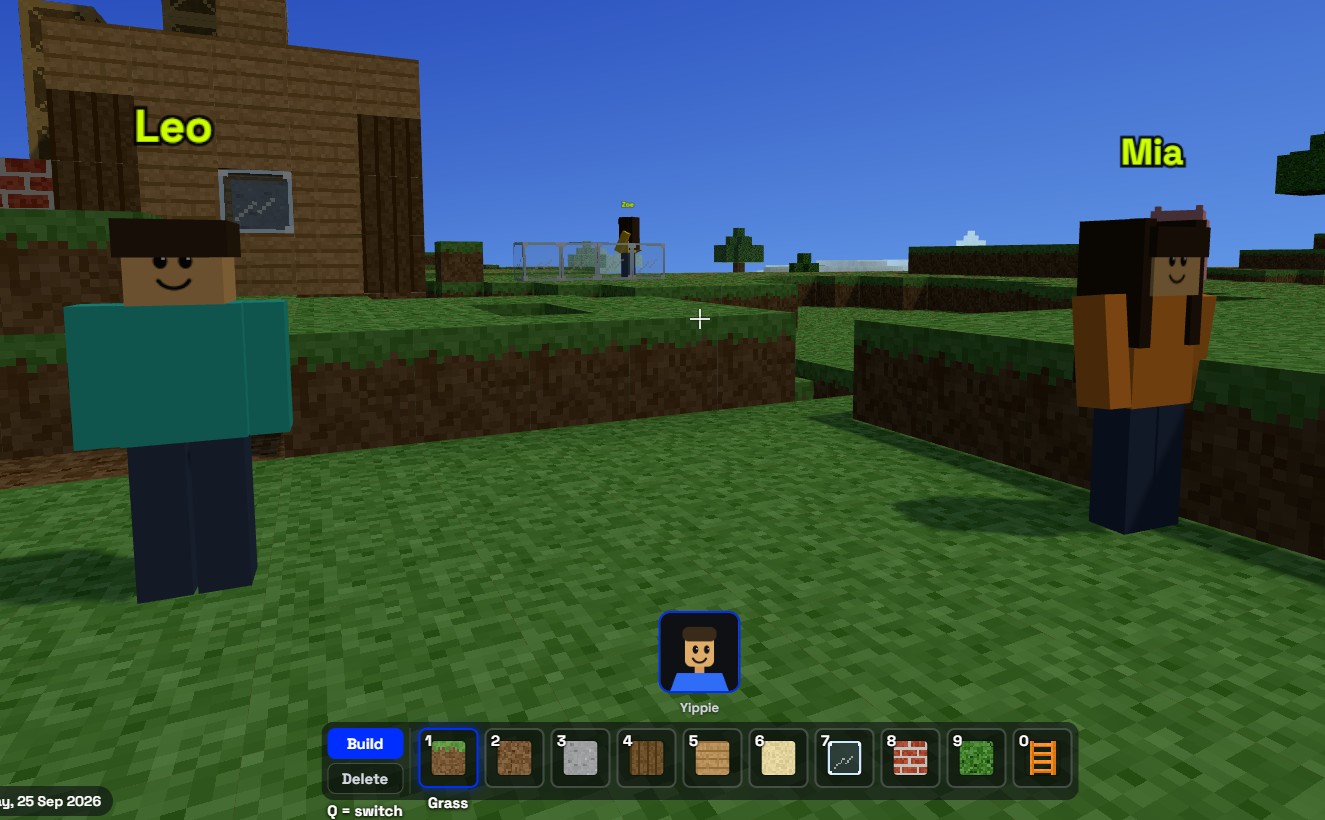
MT SandBox is Mind Theory’s new sandbox game: a blocky 3D world that students build together, live, right in the browser. There is nothing to download or install. Open sandbox.mt-labs.net, pick a name and a character, and start building.
Everyone who joins plays in the same world, so a tower one student starts in the morning can have a bridge, a ladder and a garden added by friends by the afternoon.
MT SandBox is live. Play now at sandbox.mt-labs.net
Create your Mind Theorian
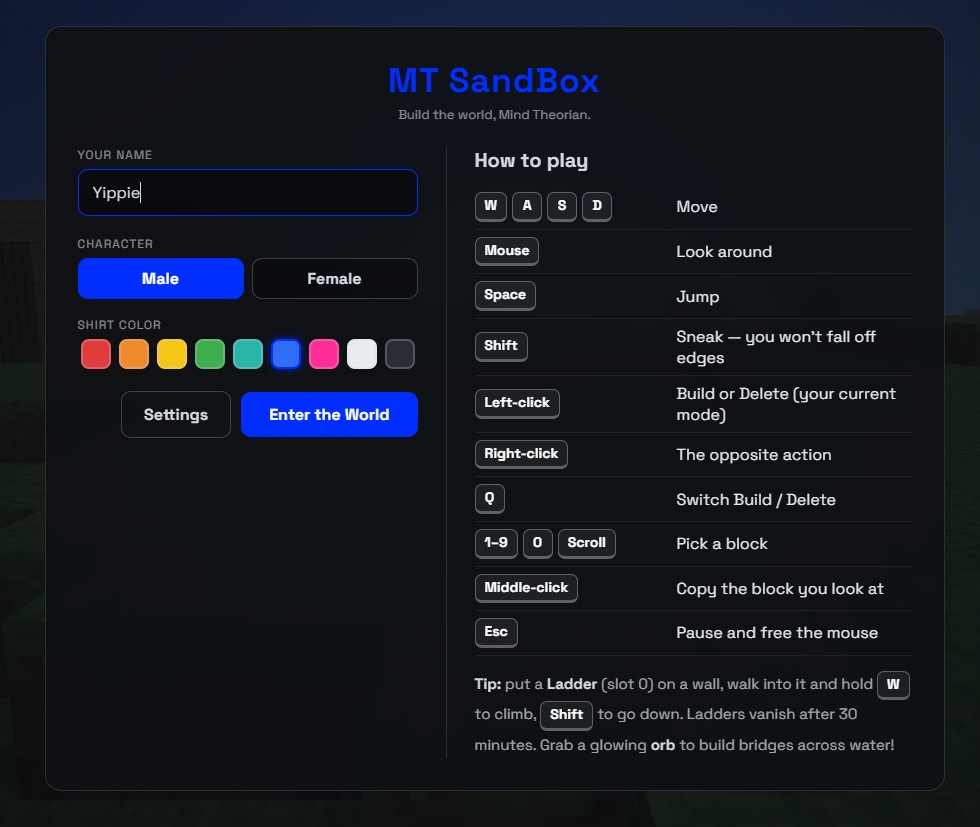
The start screen asks for three things: a name, a character, and a shirt colour. We suggest a nickname rather than a full name. The How to play panel on the right lists every control, so new players can start without a tutorial.
Mind Theory is Singapore’s pioneering AI and creative-tech education provider, established March 2023, with hundreds of students across primary, secondary, and adult programmes. Read about Us.
What you can build
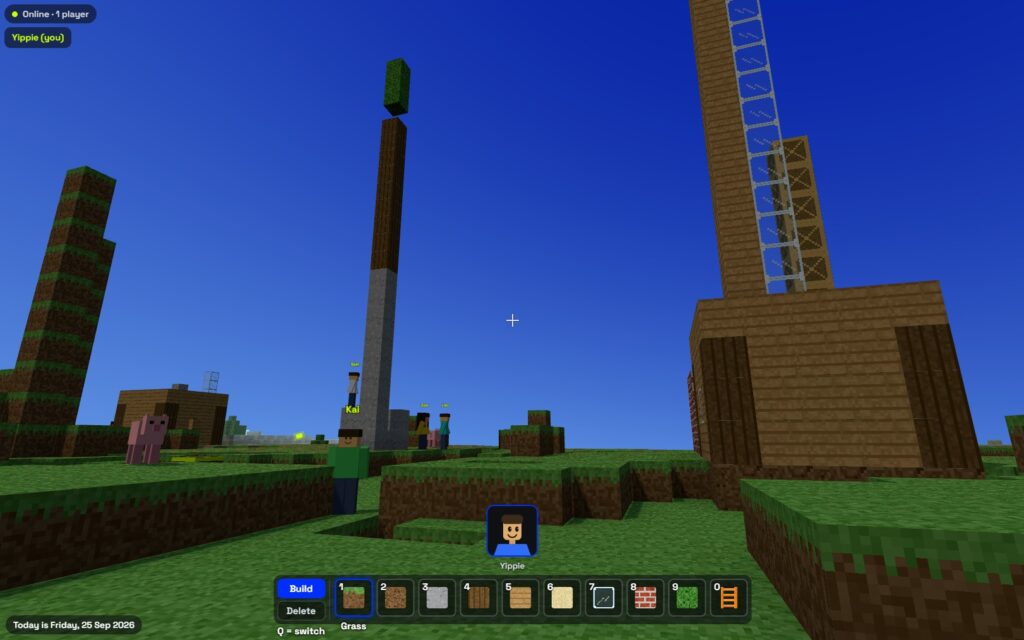
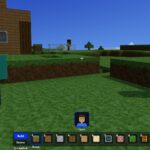
The world is full of rolling hills, a winding river, trees and small huts. Players build with ten block types: grass, dirt, concrete, wood, planks, sand, glass, brick, leaves and ladders. Blocks can even go into the water, which is handy for piers and bridges.
Ladders are temporary helpers. Stick one to a wall to climb it, and it disappears on its own after 30 minutes. Glowing lime orbs float around the map too: walk into one and you get Bridge Builder for 45 seconds, with a special block for building straight across water.
A world that feels alive
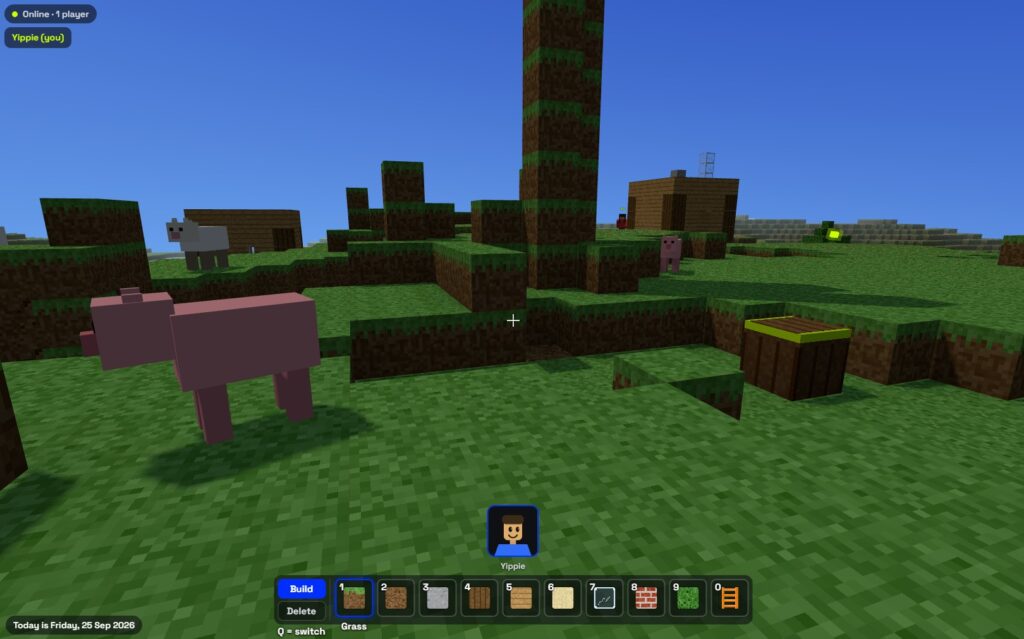
Cows and pigs wander the hills, and six friendly characters, Ava, Kai, Zoe, Leo, Mia and Sam, live around the starting area. Walk up to one and it stops, turns to face you and says hello. Their names float in lime, so it is easy to tell them apart from real players.
Every player has a name tag, and the corner of the screen shows who is online. When someone places or removes a block, everyone sees it straight away, and the world is saved, so builds are still there the next day.
Why we built it
Building in a shared world is a quiet lesson in planning. Before a tall tower goes up, a student has to work out the base, the materials and how to get to the top. When a friend is building next to them, they negotiate space, borrow ideas and fix things together. These are the same habits we practise in our Roblox coding camp, where students go on to script their own games.
It follows our Retro PC launch as another small, playable project from Mind Theory, and it will keep growing. Player accounts and more blocks are on the way.
Mouse and keyboard skills, learned through play
Many children today grow up on touchscreens, and the first time they sit at a laptop the mouse and keyboard can feel awkward. MT SandBox is a gentle way to practise. Walking uses the W, A, S and D keys under the left hand, while the right hand steers the view and places blocks with the mouse. Doing two different jobs with two hands at once is exactly the coordination that coding, design software and tools like Roblox Studio ask for later on.
Every block placed is a small exercise in aiming and clicking precisely, and switching between Build and Delete with the Q key builds keyboard confidence without it ever feeling like a typing lesson. It is one reason we believe a laptop is the better learning device for older children.
A place to practise creativity
There are no levels, scores or instructions in MT SandBox. Children decide for themselves what to make: a house for the cows, a tower taller than a friend’s, a bridge across the river, a garden of leaf blocks. Deciding what to build, planning how to build it and changing course when it does not work out is creative practice in its simplest form, and it is the same thinking we encourage in every Mind Theory class.
How to play
On a laptop: W, A, S and D to move, the mouse to look around, Space to jump and Shift to sneak so you do not step off edges. Left-click builds, right-click removes, and Q switches between Build and Delete. Keys 1 to 9 and 0 pick a block.
On a tablet: the game switches to on-screen controls automatically, with a joystick to walk, a drag to look around and a tap to build. Tablets work best, and phones work too.
A note for parents
There are no accounts, email addresses or personal details involved, and there is no chat, so players cannot message each other. Players do share one world, which means anyone in it can add to or remove blocks, a little like a shared sandpit in a playground. The world is backed up every hour, and there are limits on how many players can join from one network and how fast blocks can be changed.
For younger children, playing alongside a parent the first time is a good way to start, and a nickname is always better than a real name.
MT SandBox is live. Play now at sandbox.mt-labs.net
Established in March 2023, Mind Theory is Singapore’s pioneering AI education provider, offering Gen AI holiday camps for children, teens, and secondary school programs. To find out more, visit our Courses page.
Students build web apps through vibe coding. design animations and Roblox games using AI-powered tools. These aren’t just projects. they are a practice in creative problem-solving, technical fluency, and experimentation.
Contact us to book a class by email or Whatsapp..

FAQ
What is MT SandBox?
MT SandBox is a sandbox game from Mind Theory where players build a blocky 3D world together, live, in the browser at sandbox.mt-labs.net.
Does MT SandBox need a download?
No. It runs in the browser on a laptop or tablet, and phones work too. Open sandbox.mt-labs.net, choose a name and character, and enter the world.
Is there chat in MT SandBox?
No. There is no chat and no accounts, so players cannot message each other. Players can see each other's name tags and builds.
Can other players change my builds?
Yes. Everyone shares one world, so anyone playing can add or remove blocks. The world is backed up every hour, and player accounts are planned for a later update.
Can MT SandBox be played on a tablet?
Yes. On a touch screen the game switches to on-screen controls automatically, with a joystick to walk, a drag to look around and a tap to build.
Recent Articles
-
 Vibe Coding: The Enrichment Skill every School needs in 2026.
-
 The AI Literacy skill Your Teen’s Future Depends On – AI Coding
-
 Mind Theory launches MTCode IDE for Teen Vibe Coders
-
 Mind Theory launches MTCode CLI, a Terminal for Agentic Coding
-
 Best Holiday Camps in Singapore 2026: The Complete Parent’s Guide
-
 AI Sprint Holiday Camp Singapore | June 2026 (Ages 9-16)
-
 Discover Your Child’s Hidden Talents During School Breaks: A Practical Guide for Singapore Parents
-
 How to Use the School Break to Discover Your Strengths: A Guide for Curious Learners
-
 Coding, Editing or Design: Productive Holiday Skills to Learn
-
 5-Day AI Storytelling Camp
-
 CapCut Workshop for Singapore Schools | Secondary School Programme
-
 Generative AI Summer Holiday Camps
-
 September Holiday Camps – AI Art
-
 Roblox Coding Camp Singapore | 5-Day Holiday Camp for Kids
-
 AI Prompt Engineering Workshop for Singapore Schools | Mind Theory
-
 Z-Image in ComfyUI: 150 AI Fashion Models, One Studio Look
-
 MT SandBox: A Sandbox Game Mind Theorians Build Together
-
 ComfyUI Image Generation Training: Z Image, Flux, Qwen and Krea
-
 ComfyUI Image Editing Training: Relighting, Posing and LoRA Styles
-
 ComfyUI Video Training: LTX 2.5 and MiniMax H3
-
 Retro PC: Windows 95 in Your Browser